 Business · iPhone & iPad
ObraSnap
Take the photos. Mark the problems. Send the report.
ObraSnap turns jobsite photos into clear, professional PDF reports, right from your iPhone. Built for remodelers, handymen, contractors and inspectors who need to document work without complicated project management software.
Free to try · Requires iOS 17 or later
How it works
- 1
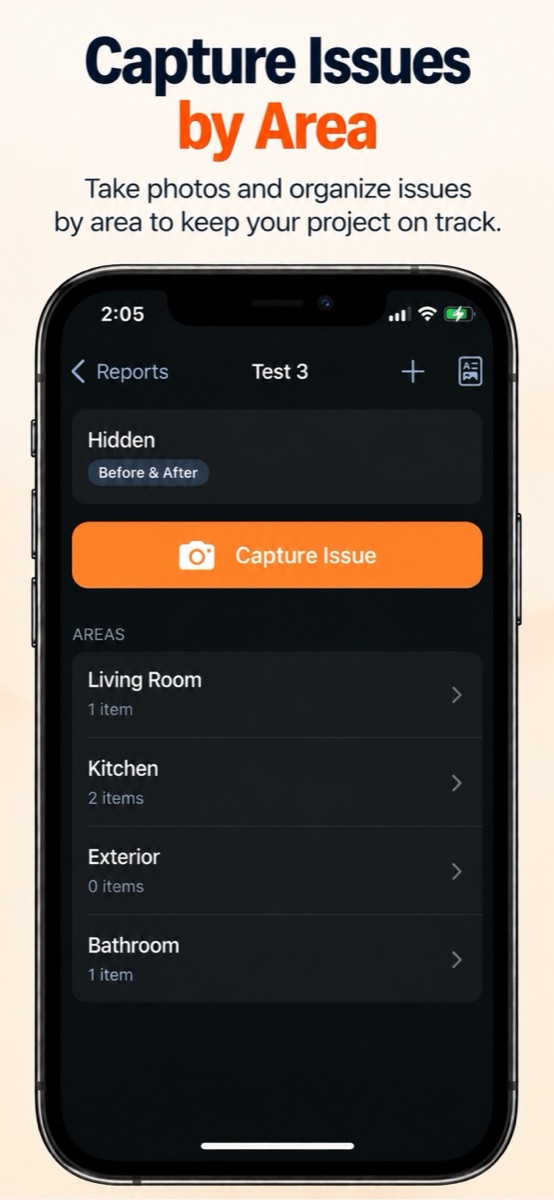
Capture by area
Create a report, add areas like Kitchen or Exterior, and take photos on site or import them from your library.
- 2
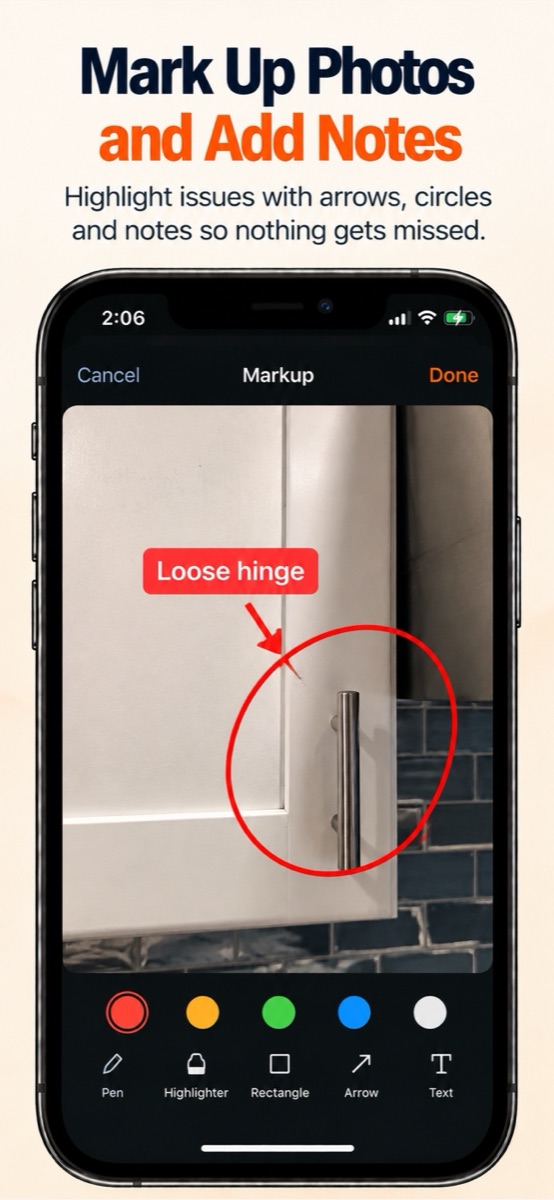
Mark the problems
Draw arrows, circles and freehand lines, add text labels, and crop each photo so nothing gets missed.
- 3
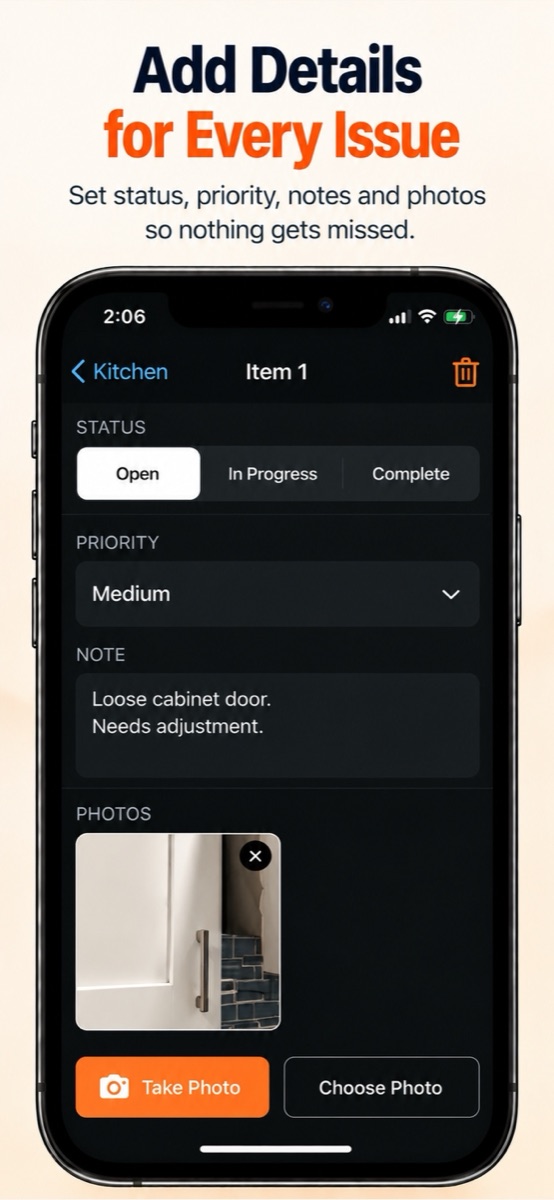
Add the details
Write notes, set the status to Open, In Progress or Complete, and add an optional priority.
- 4
Send the report
Preview a clean PDF with your company name and logo, then share it by email, message or print.
Screenshots
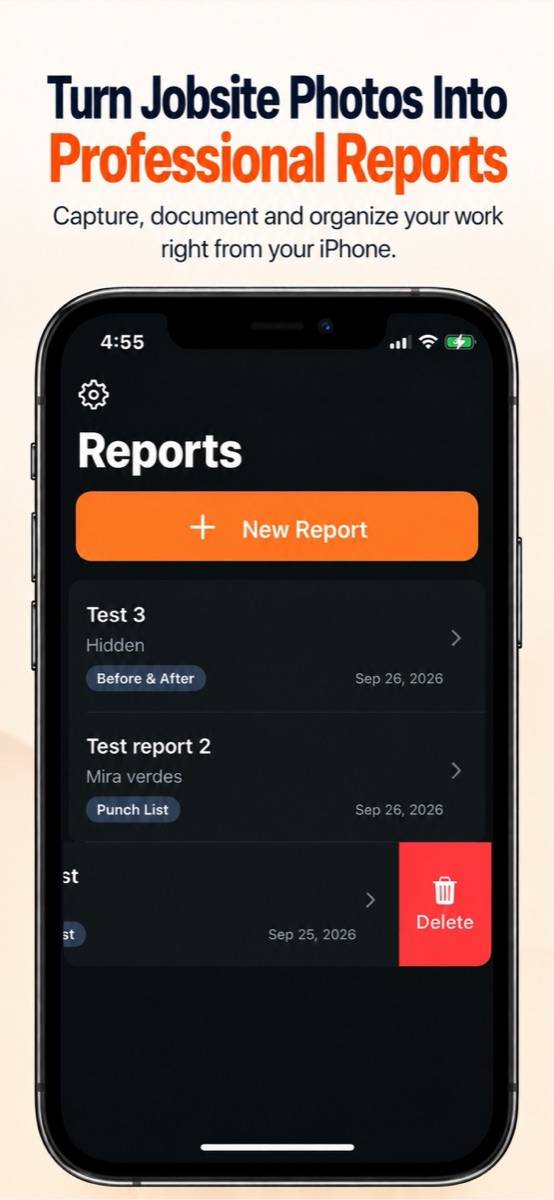
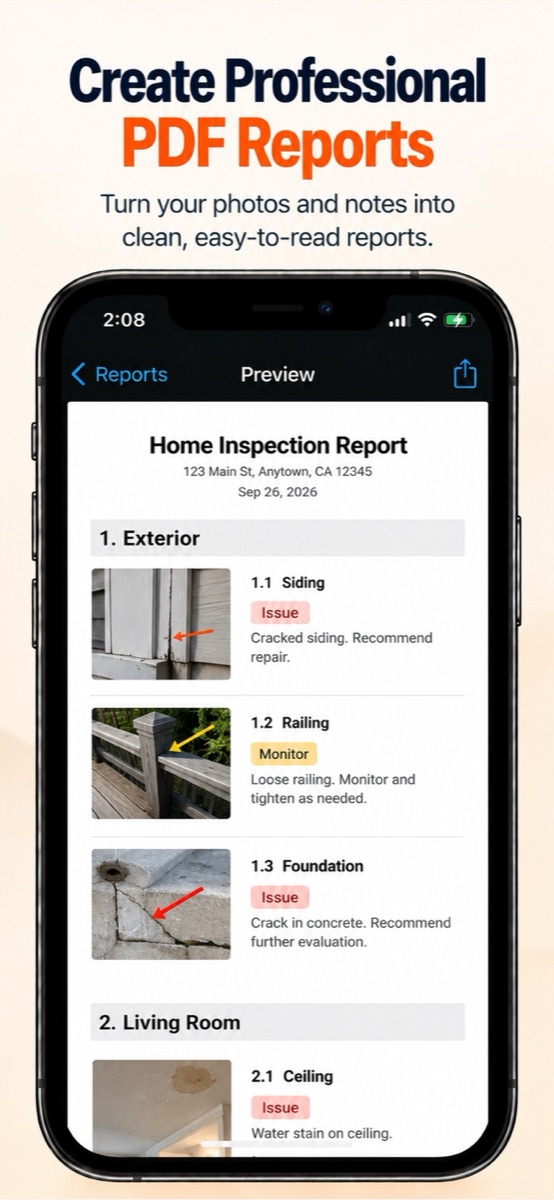
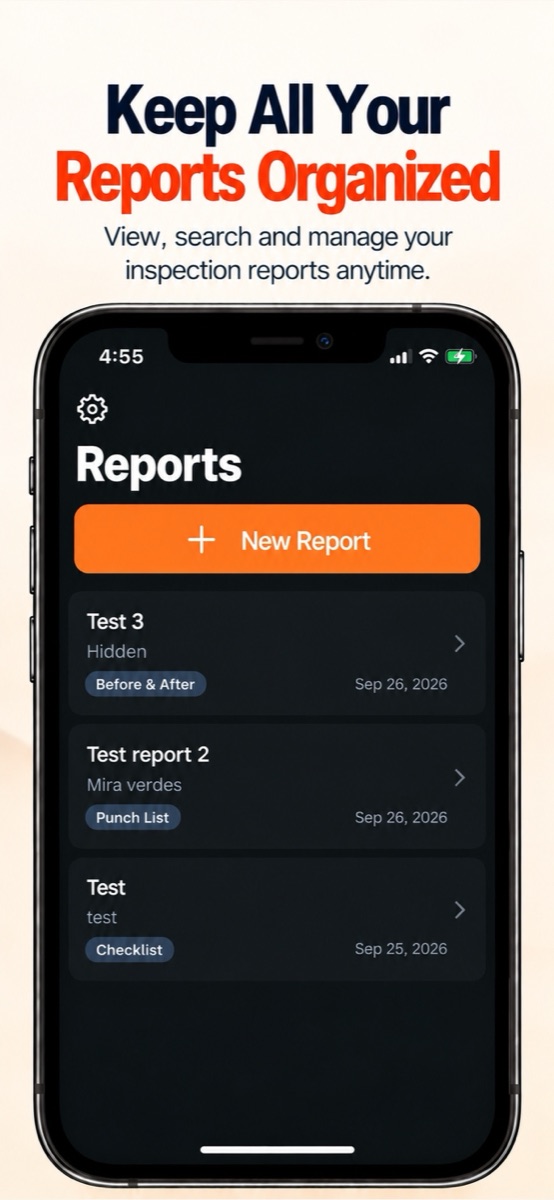
Three report workflows
Punch List
Document issues with photos, notes, status and priority, and track each item through to completion. Ideal for final walkthroughs.
Property Documentation
Create neutral, organized photo records and observations of a property or jobsite.
Before & After
Capture before photos, describe the work performed, and add after photos to show the finished job side by side.
Everything in the box
Photos organized by area
Keep every report tidy: photos are grouped by project and by area.
Markup tools
Pen, highlighter, rectangle, arrow, circle and text, plus cropping.
Status and priority
Track punch list items as Open, In Progress or Complete, with Low, Medium or High priority.
Branded PDF reports
Add your company information and logo, and preview the full PDF before you share it.
No account needed
Open the app and start working. There's nothing to sign up for.
Stored on your device
Reports and photos stay on your iPhone, not on another cloud service.
Simple pricing
Free
$0
- Up to 3 reports
- All three report workflows
- Photo capture and markup
- Company profile and logo
- Full PDF preview
ObraSnap Pro
One-time purchase
- Unlimited reports
- PDF export and sharing
- Lifetime access
- No subscription
Questions
›Do I need an account?
No. ObraSnap works without an account. Just open the app and create your first report.
›Where are my reports and photos stored?
On your device. ObraSnap is local-first, so deleting a report or the app permanently removes that data. Export your finished PDFs to keep safe copies.
›What does ObraSnap Pro unlock?
Unlimited reports and PDF export and sharing. It's a one-time purchase with no subscription.
›I got a new iPhone. How do I get Pro back?
Install ObraSnap with the same Apple Account, open the purchase screen and tap Restore Purchases.
Need help with ObraSnap?
Read the user guide, or email us and we'll get back to you. See also the Privacy Policy and Terms of Use.